
Carbon Wallet User Guideline
How to download Carbon Wallet?
Step 1: Go to your App Store
Open the app store on your smartphone:
-
For iPhone: Open the App Store, type “Carbon Wallet”or click the below image to go to the download page.
-
For Android: Open the Google Play Store, type “Carbon Wallet”or click the below image to go to the download page.
Step 2: Download and Install
-
Tap the Get or Install button.
-
Wait for the app to finish downloading to your home screen.


How to register Carbon Wallet?
Open the app and tap Sign Up / Login.
-
Insert your mobile number to get verification code.
-
Input verification code to verify your mobile number.
-
Input your information (Name, Gender, Birth Month & Year)
-
Input your e-mail
-
Set password
-
Tap Register


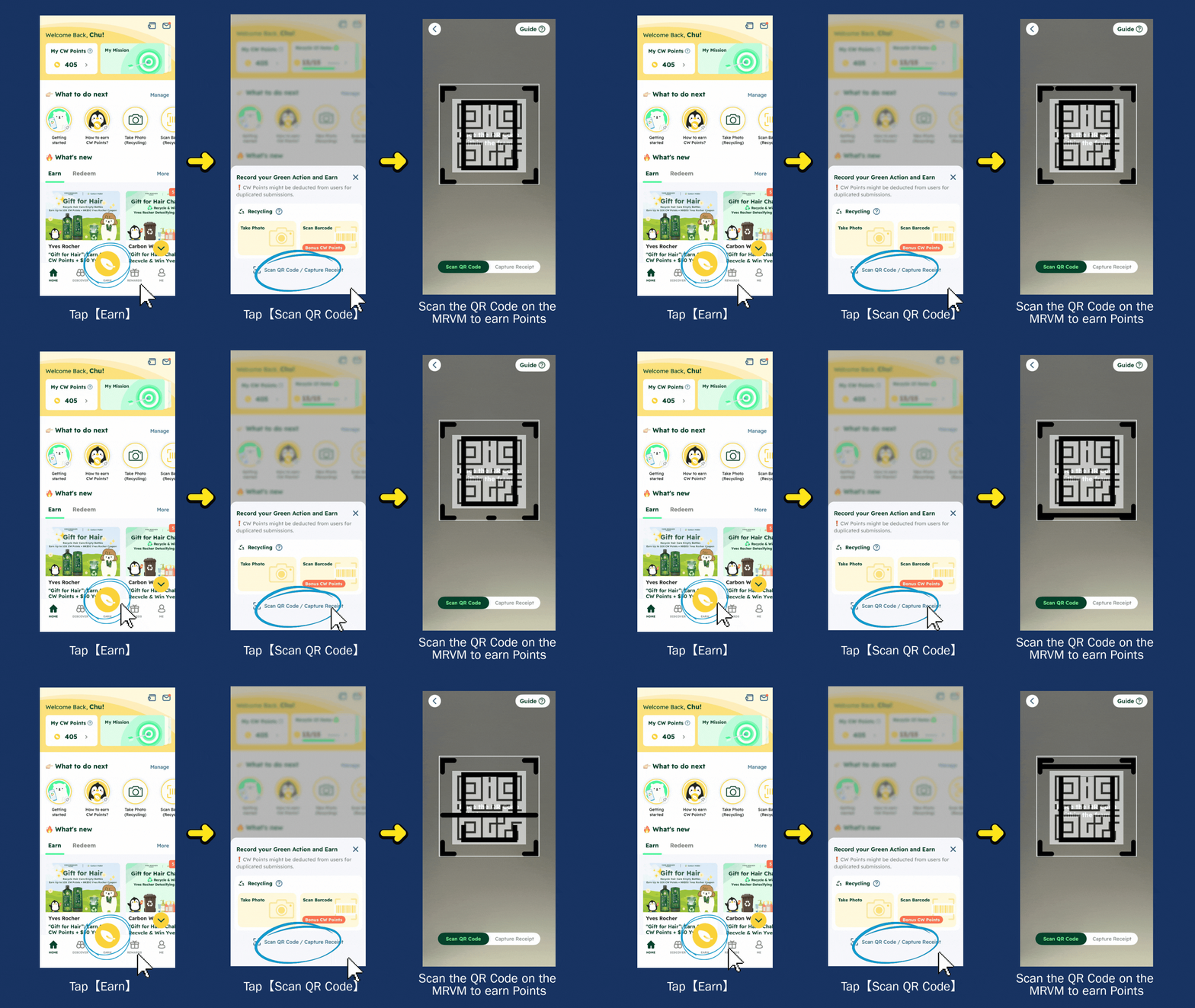
How to earn Carbon Wallet Points?
How to redeem rewards?

How to use the rewards?
Reward Type 1: Rewards used via QR code, barcode or promotion code

Reward Type 2: Rewards used via “Show to Staff”

Reward Type 3: Free MTR Rides
